Getting started
Install
Section titled “Install”The easiest way to install and license VoxMark is the aescripts + aeplugins manager. To try it first, choose Add Trial from the manager’s Account menu.
You can also install the .zxp with the ZXP/UXP Installer from aescripts. VoxMark runs in
After Effects 2022 or later and Premiere Pro 2022 or later.
Open the panel from Window ▸ Extensions ▸ VoxMark. The first time, a short welcome appears, then a short tour walks you through the panel — from scanning your voiceover to working with a sample transcript.
Choose a provider and add your key
Section titled “Choose a provider and add your key”VoxMark sends your audio to a transcription service you choose, using your own API key. The key is stored on your computer and used only to talk to that service, which bills you directly.
- On the Transcribe tab, pick a Service.
- Paste your key into API Key and click Save.
| Service | Good for | Get a key |
|---|---|---|
| Groq | Free and fast. The best start for most voiceovers. | console.groq.com |
| OpenAI | Whisper, the same family of models as Groq. | platform.openai.com |
| AssemblyAI | Several speakers, and long recordings. | assemblyai.com |
How long a recording each one takes is on the Transcribing page.
Your first markers
Section titled “Your first markers”- Open the comp (After Effects) or sequence (Premiere Pro) with your voiceover.
- Isolate the voiceover — music and effects make the transcript worse. In After Effects, solo the voiceover layer; in Premiere Pro, mute every audio track except the voiceover.
- Click Scan Comp. VoxMark lists every layer or track with audio — untick music beds or effects you don’t want transcribed.
- Click Render & Transcribe.
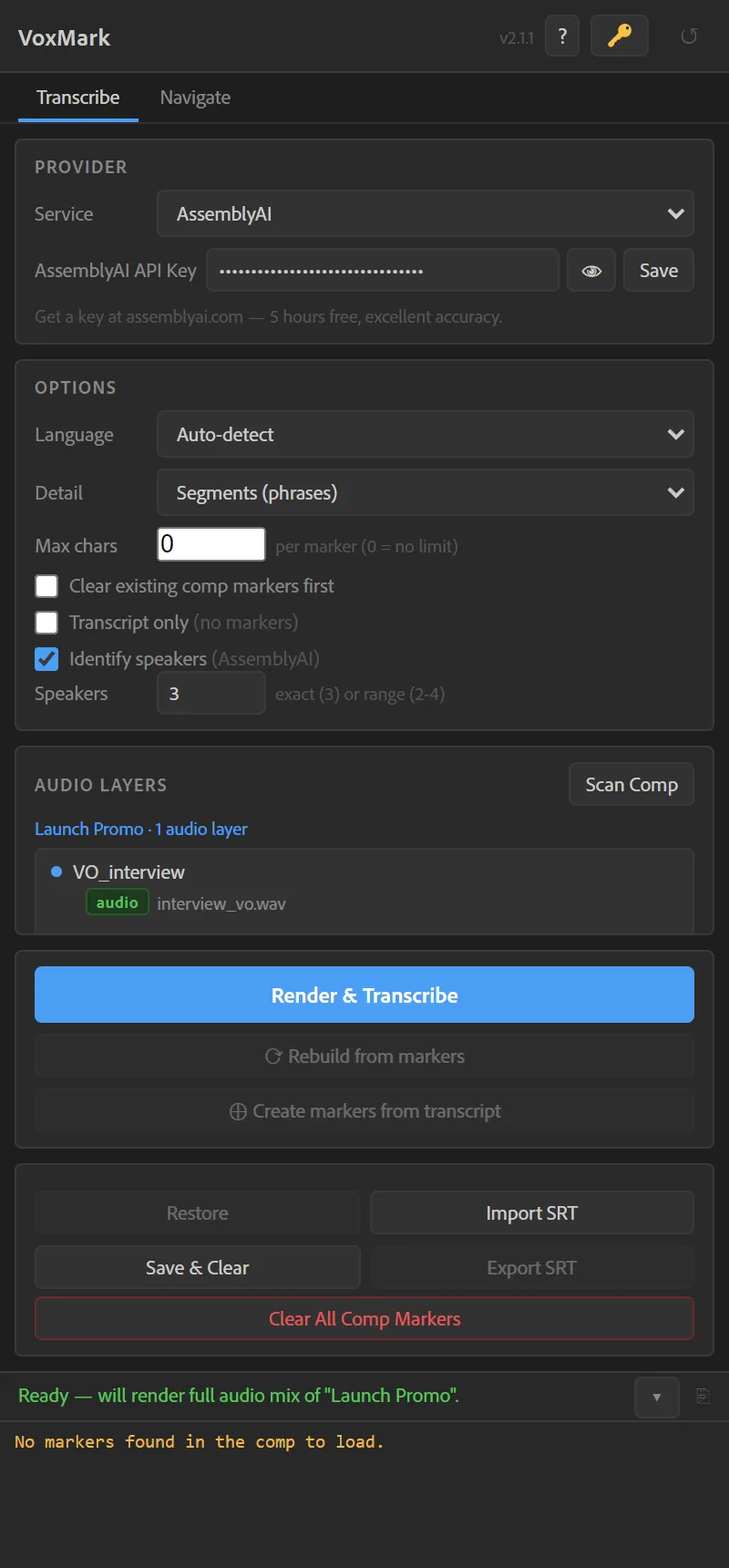
VoxMark renders the audio, transcribes it and lays colour-coded markers on the words. The Navigate tab opens with your transcript. To see the tour again, choose ? ▸ Show the tour.
The audio template (After Effects, once)
Section titled “The audio template (After Effects, once)”Transcription needs a WAV render, and some After Effects installs only have an AIFF audio template. After Effects doesn’t let a script add one, so VoxMark ships a ready-made template and walks you through loading it:
- Click Open Template Folder —
voxmark-audio.aomis highlighted. - In After Effects choose Edit ▸ Templates ▸ Output Module…, click Load… and pick that file.
- After Effects warns that some default templates will not be overwritten. That’s expected — click OK, then OK again.
- Back in VoxMark, click I’ve Loaded It — Re-check.
It takes about 30 seconds, once. Nothing of yours is replaced; loading only adds the template.